Notes
Readium separates notes for the whole book from notes tied to a single reading session.
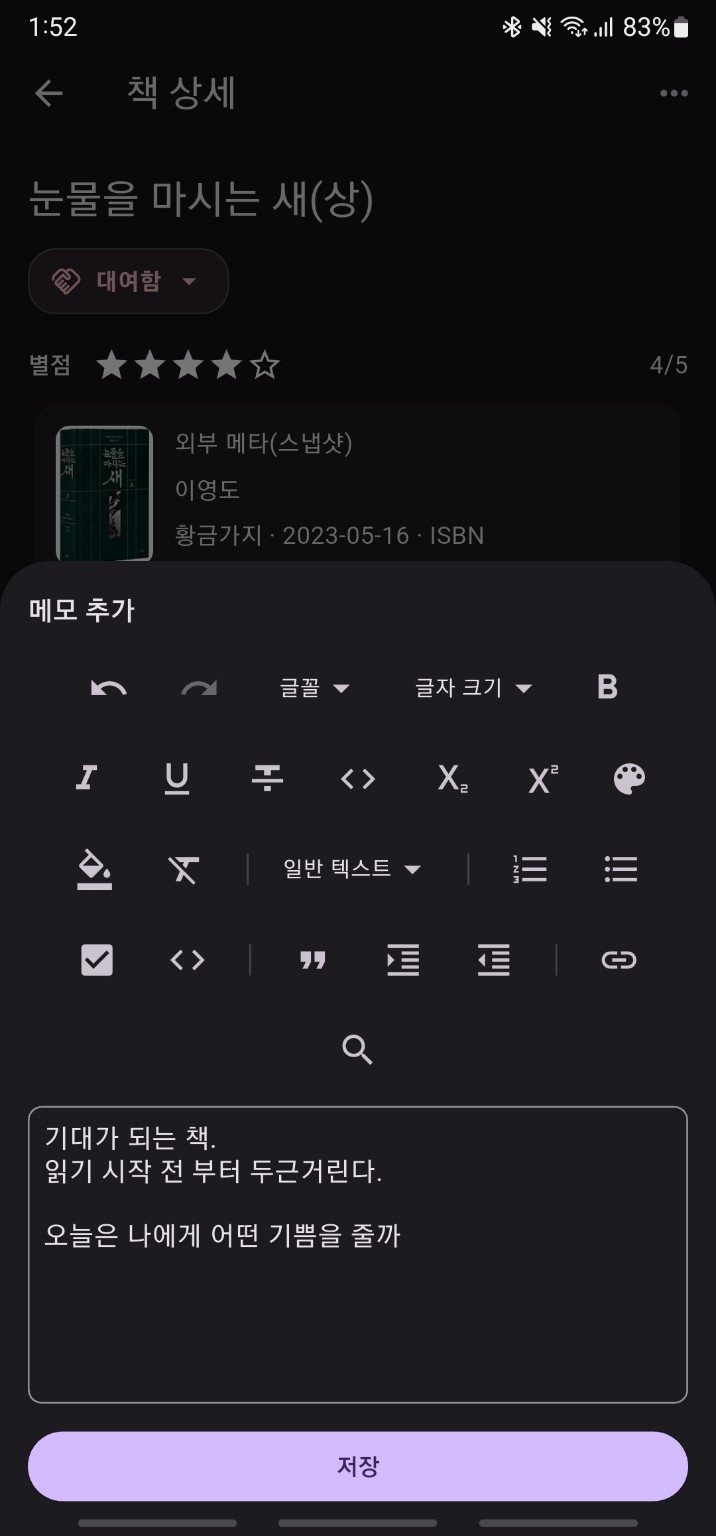
Note types
Book notes: overall impressions, summaries, takeawaysSession notes: notes tied to one reading session
Writing book notes
Book notes are usually created from one of these flows:
- directly from the book detail page
- right after the completion suggestion sheet
- right after the abandonment suggestion sheet
Writing session notes
Session notes are usually created from one of these flows:
- right after ending a session
- from quick add note in
Now Reading - by opening an existing session note and editing it
Editing behavior
The editor uses a rich text note composer. The save button stays disabled until there is non-empty content.
Viewing and editing notes
In the Notes tab of the book detail page, you can browse both book notes and session notes. In the current implementation, the note detail sheet supports not only viewing but also editing.
If saving fails
If saving fails, the sheet may close with a failure result or show an error message. In practice this is more likely to be a local save issue than a network issue, so retrying is usually the first thing to try.