Now Reading
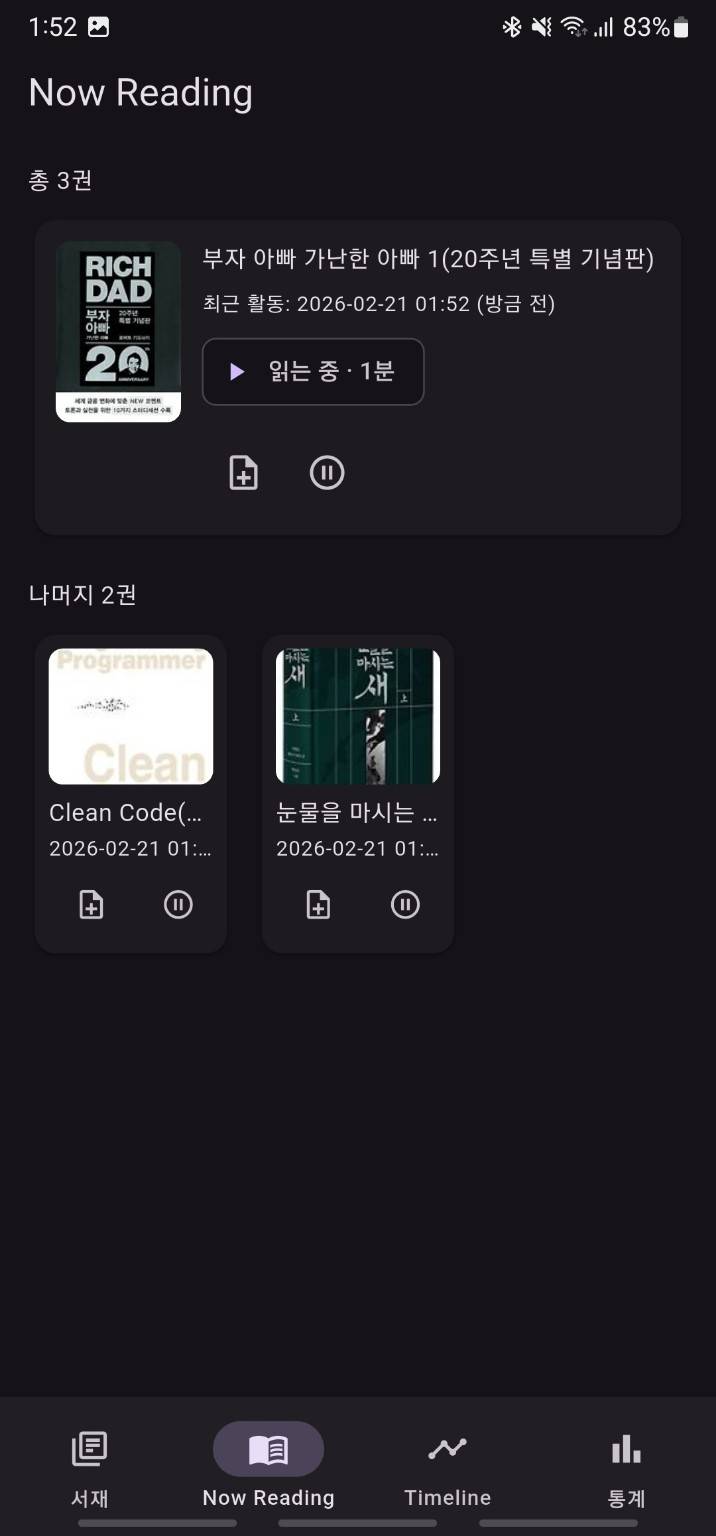
Now Reading is the fastest screen for managing books you are actively reading. Instead of going back through Library or opening each book detail page first, it gathers the current reading list into one place for quick actions.
When this screen is most useful
It is especially useful when:
- you want to resume a book immediately
- you want to end the session you just finished
- you want to add a session note without opening the full book detail page
- you are reading several books at once and want a focused in-progress view
When the app starts, it can open Now Reading first if there is at least one visible active reading item.
Layout
In the current implementation, the screen is organized like this:
- one featured card for the first item
- a grid of cards for the rest of the in-progress books
- a visible count for the total and remaining items
If there are no current books, the screen shows an empty-state message.
What you can do from each card
Each card gives direct access to:
- opening the book detail page
- starting a session
- ending a session
- quickly adding a session note
The featured card also shows recent activity time, the last progress value, and an elapsed-time badge while a session is active.
Starting and ending sessions
The session toggle button changes behavior depending on the current state.
- if there is no active session, it starts reading
- if there is an active session, it ends reading
Ending a session leads into a progress input step.
- entering
100%triggers completion rather than a normal session end - entering less than
100%ends only the session - sessions shorter than one minute may not be kept as normal records
After completion, the app can suggest a book note. After a normal session end, it can suggest a session note.
How the add note button works
The Add Note action in this screen is based on session notes, not book notes.
Important behavior:
- if an active session already exists, the note is attached to that session
- if no active session exists yet, the app starts one first and then opens the note editor
In other words, notes from Now Reading are closer to "a note for this reading time right now."
Difference from Book Detail
Book Detail is the full management screen for one book, while Now Reading is more like a quick dashboard for books currently in progress.
Use them like this:
- choose
Book Detailwhen you want the full history, notes, and metadata - choose
Now Readingwhen you want fast reading controls and quick session notes
If you want the session storage rules and completion policy rather than the screen behavior, the Reading Session page is the better reference.