Timeline
Timeline is the screen where Readium shows your reading-related activity in chronological order.
It is not just a book list. It is where you revisit when you started reading, when you stopped, and what notes you left behind.
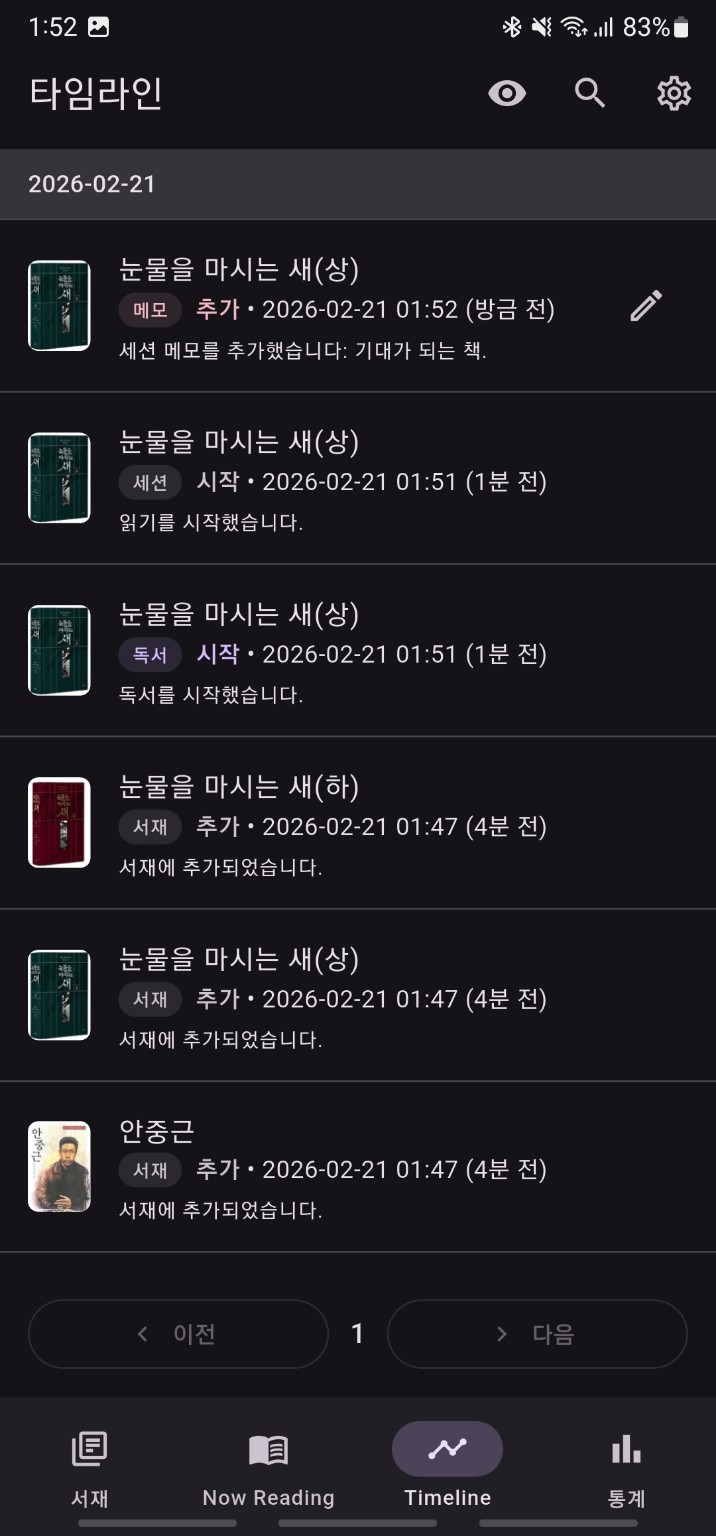
What is recorded
- session start
- session end
- completion
- abandonment
- book note creation
- session note creation
What you can do in Timeline
- review recent activity first
- search by keyword
- include or exclude events from hidden books
- open the related book detail page from an event
- open note detail from note-related events
Search
Use the search button in the top right to enter search mode and narrow the visible timeline with a keyword. When search mode is closed, the page resets to the first page.
Hidden book events
You can choose whether events from hidden books are included. This is similar to the hidden toggle in Library, but Timeline controls it independently.
Page navigation
Timeline loads in pages and provides previous and next navigation at the bottom.
When it is useful
Timeline is especially useful when:
- you cannot remember which book you read most recently
- you want to find a note written on a specific day
- you want to revisit when a book was completed or abandoned